As the title said. These browsers are more tricky but if you use the TROMjaro Unity Layout you can still fix them. So, for the Unity Layout:
Firefox based browsers (has been fixed no need for any of the bellow):
When maximized the browser will have a gap/space between itself and the panels.
To fix:
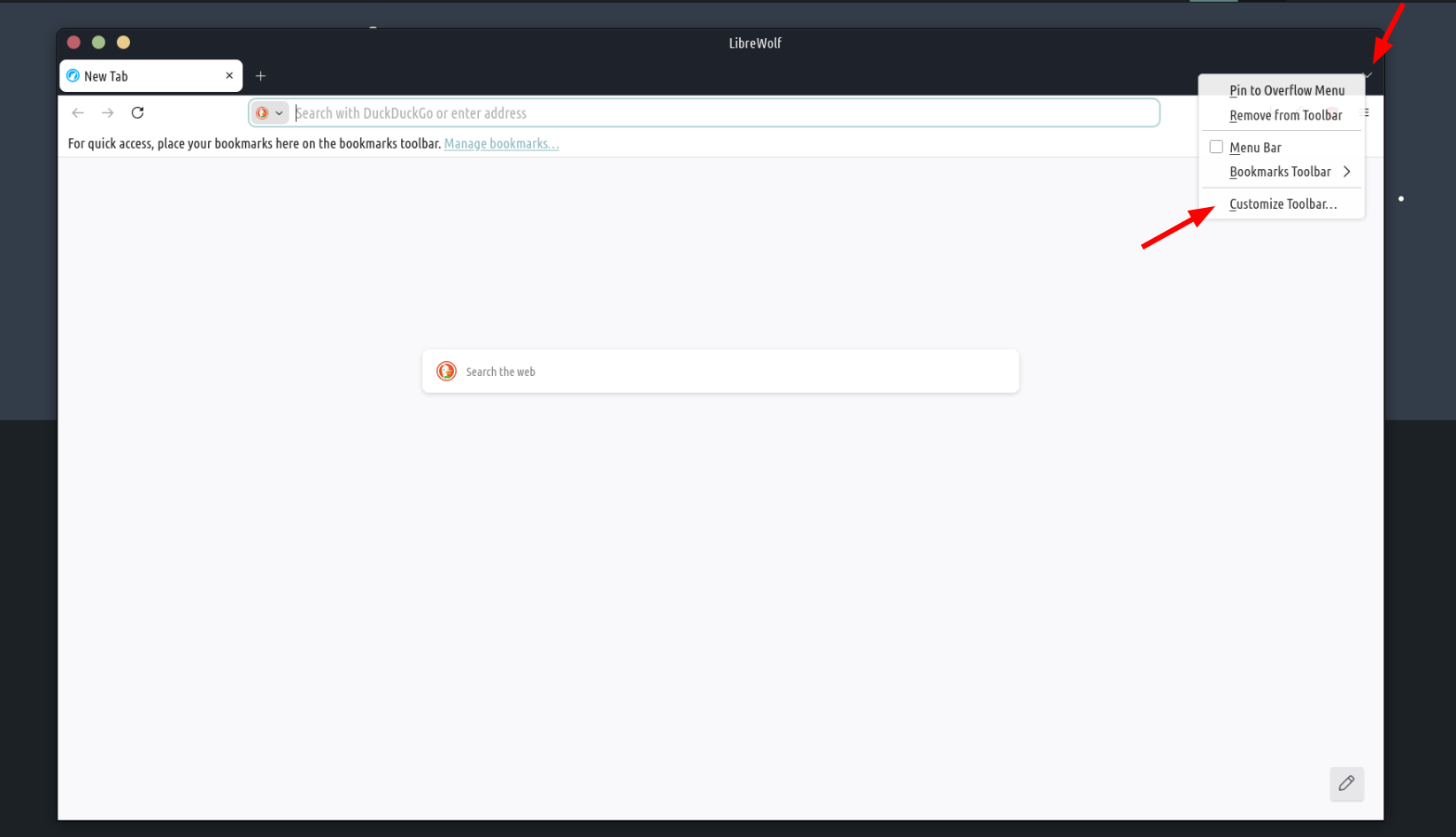
Right click the right down arrow and then Customize Toolbar
Then enable this:
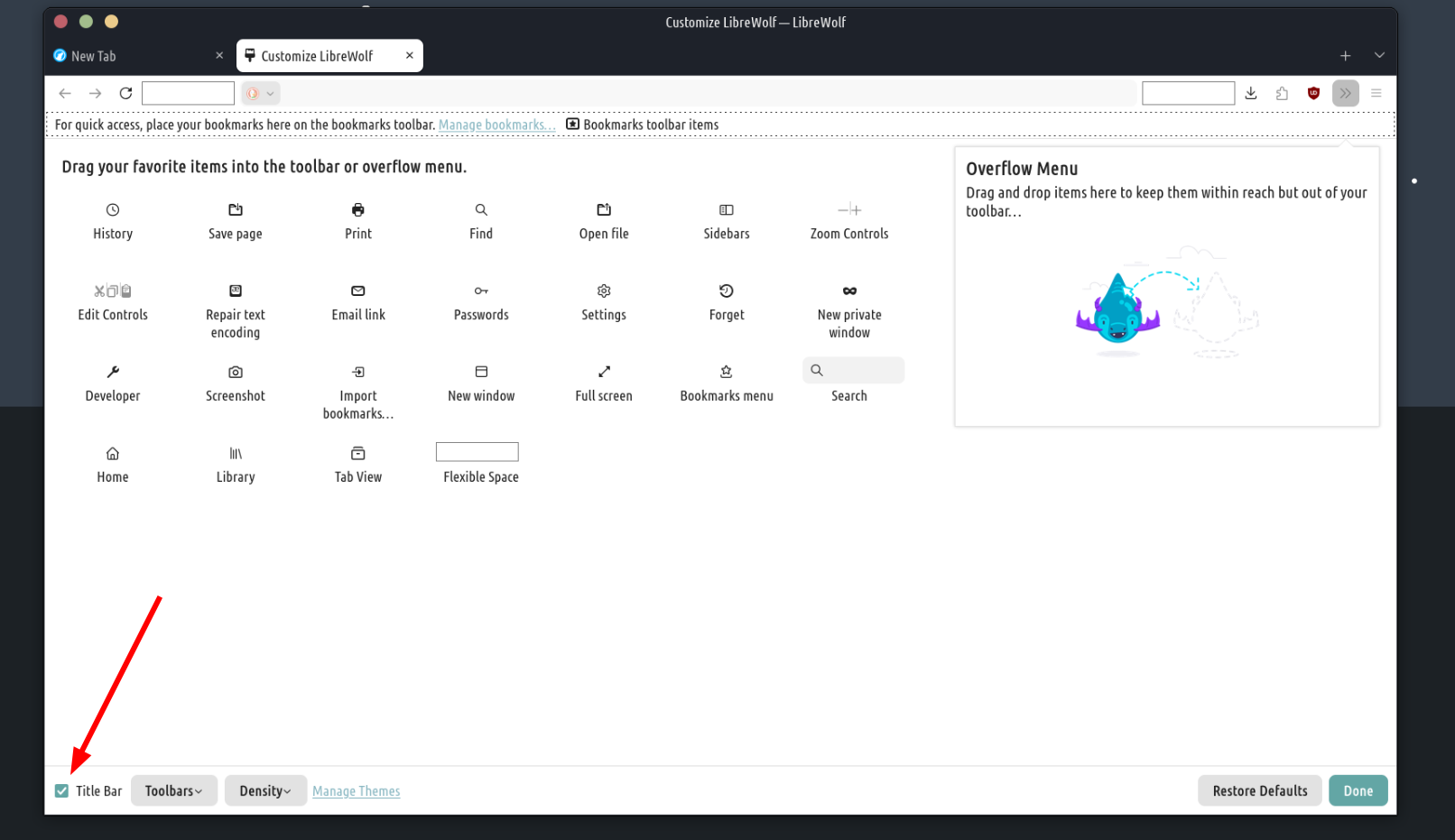
Close the browser. Reopen it.
Chromium based browsers:
Will have double the window buttons when maximized.
To fix:
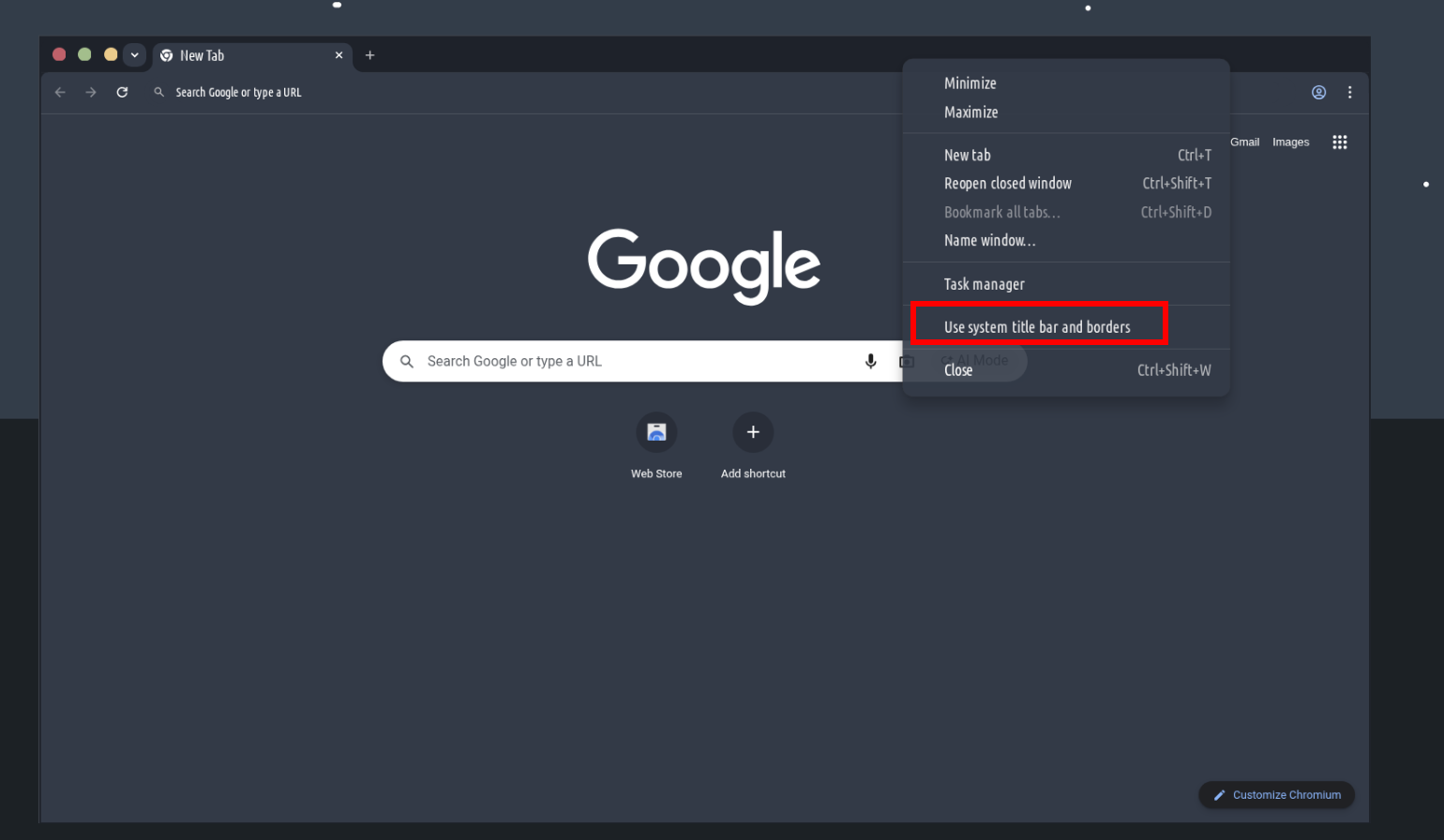
Right click the top browser bar then select:
Done!
If we can fix these things upstream then it would be great. But for now these fixes are super quick and easy to do.