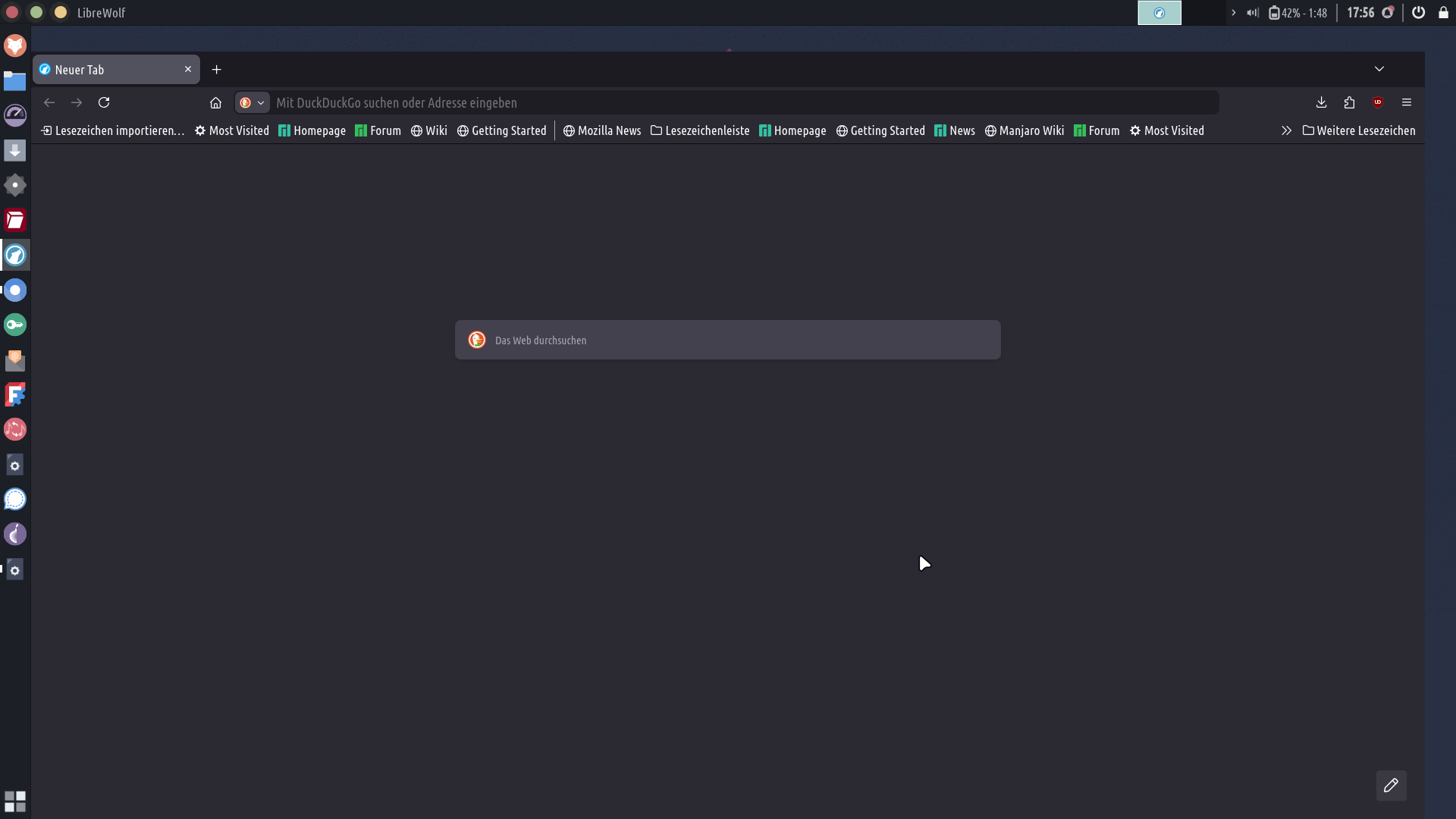
2026 brings something new but also old to TROMjaro: The Unity Layout style is back because we managed to fix an annoying thing with it.
Let me explain.
When I first discovered Linux I fell in love with Ubuntu’s Unity. A desktop that had the apps icons on the left bar, then a thinner top bar with useful info and tray icons:

If you maximized an app, the app’s menu and window buttons were part of the top main bar, and this maximized the space for any maximized app  . Lovely!
On top of this (pun intended) you could search through an app’s menu to quickly access its settings and options. Again made so much sense. I can quickly search through huge menus for whatever I quickly needed.
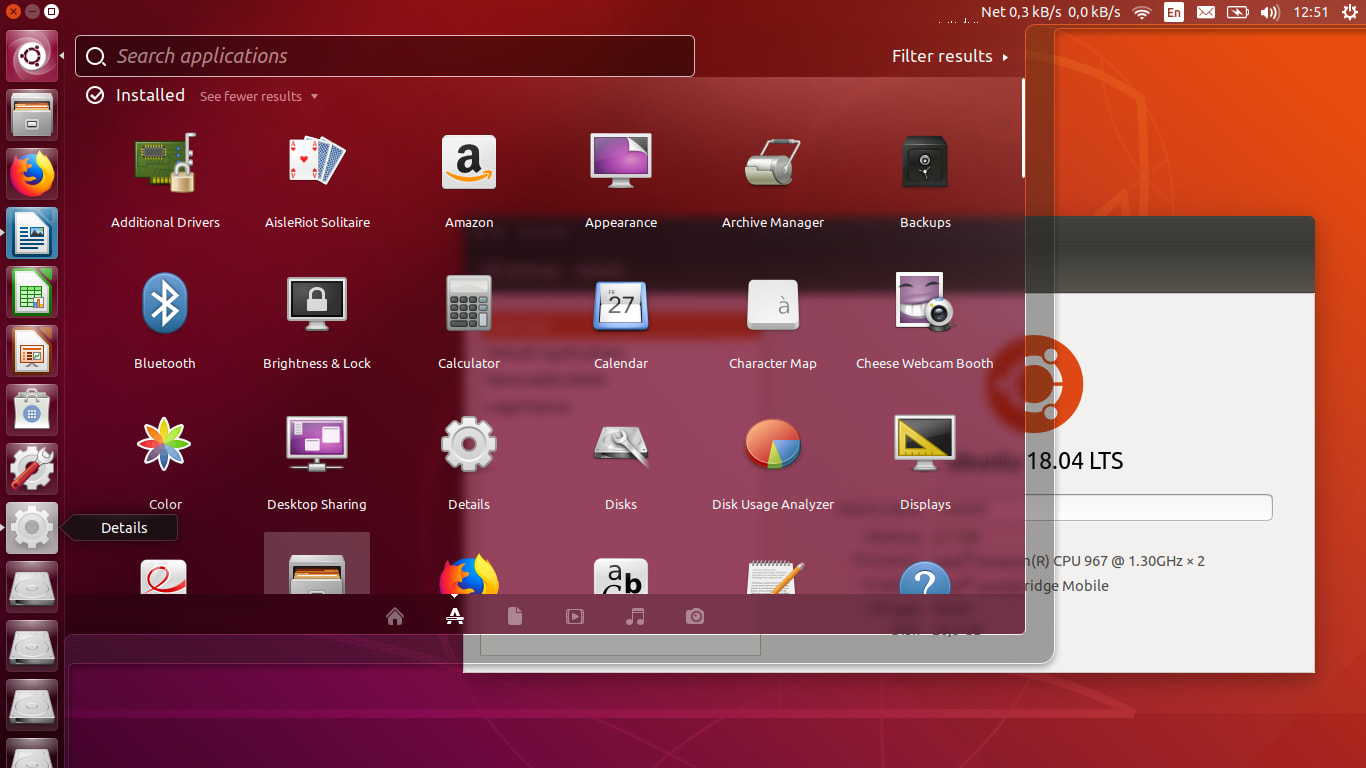
Lastly Unity had all sorts of smart searches in their main app search, like you could search online, inside folders, etc.
It made so much sense that they decided to discontinue it 
I was so pissed off. I could not find any other layout that made as much sense.
There are some forks for Unity but from what I know they are not as stable. Anyway one downside to this Unity was that it was hard to customize it if you wanted to.
So XFCE Unity is the best of both worlds.
When I released TROMjaro with XFCE I realized that I can simulate the Unity Layout since XFCE is so damn easy to customize. Right click and add stuff to panels, move them, rearrange…so insanely cool.
But there were issues with integrating the Gnome apps into it since these bloody apps do not have a proper top bar.
The importance of the window top bar!
Left is Resources (a task manager app) and right is Thunar (the default file manager for XFCE):
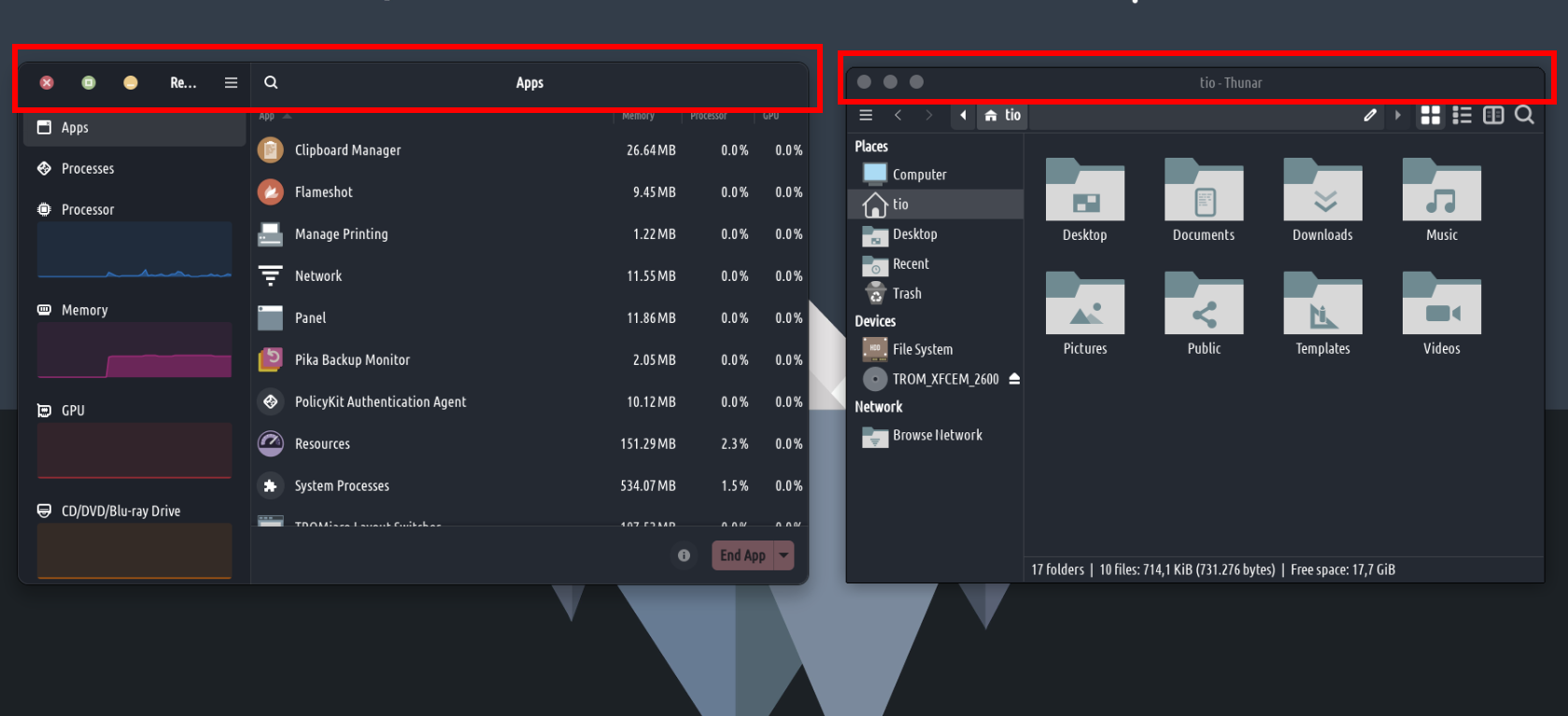
The Resources app integrates too many things into its top bar: window buttons, menu, the name of the app that is quite invisible (can you see it?), search…. It is a mess. And you can drag this window from any of those buttons. If you may not click to drag that correctly you may end up clicking those buttons.
Thunar on the other hand has a neat top bar. Simple and efficient: window buttons in one side, name of the app in the middle. Easy to drag around and understand that it is a top bar. Functional design.
XFCE allows you to, for example, roll up a window into the top bar. Put the mouse pointer over it and use the scroll wheel (up or down). So intuitive and useful. I do it many times like for example when I build TROMjaro but also want to read an article. I roll up the terminal with the building process and can roll it down to have a peek at it anytime. So many uses for this:
Crucially when maximizing a window I can set it up in XFCE to make the top bar part of the top panel with the window buttons and menus part of it, just like Unity!
But the Gnome apps, basically the most popular kind of apps on Linux, do not allow for a window top bar. They do not even allow for you to theme them with a custom theme. They are cunts basically and are really against this. We managed to theme them for years now with a bunch of 3rd party apps and some hacks, but could not do anything about that bloody top bar. So when we shipped TROMjaro with the Unity layout enabled people would see this:
Two sets of window buttons plus the top bar taking up space when maximizing a Gnome app. So I thought we cannot ship with the Unity layout because of this.
I was very sad. And we defaulted to the Windows layout for TROMjaro.
Morsmortium to the rescue!
This wonderful human joined our TROM Matrix discussion chat and posted about a package he made for Linux (Arch) called gtk-nocsd-git. I was aware that there are such packages that try to hack these Gnome (GTK3 and 4) apps to force a title bar for windows. But they didn’t work well and did not work with GTK4 at all from what I know. Also, not developed anymore.
I was excited about what he posted so we got to work together on this package. Well, I was basically testing a lot of apps and report to him. I added him to our TROMjaro chat and together with @rokosun we managed to make this package part of TROMjaro
I have tested it for a few weeks already and it works great.
Look at the same app with a proper title bar (name of the app in the center, window buttons neatly in their place):
We can now use the features of these top window bars like rolling up a window or blending the window bar to the top panel.
FINALLY our Unity Layout works as it should!
And remember we also have HUD (search through menus), or smart searches for our apps search. We are really close to what Ubuntu Unity used to be.
And I LOVE that!
Huge thanks to Morsmortium for his work! This human is so dedicated to fix every bug it is insane. And of course anyone can use his package, so please if you can support his work do so here - MorsMortium - Donate he really deserves some help!
TROMjaro Layout Switcher:
Now our layout switcher will adapt depending on the layout you choose. If you choose the Windows one for example, it will not force the top bar for windows. But for Unity or MacOS it will. All seamlessly thanks to both Morsmortium and @rokosun . Wonderful beings!
Want to disable it?
Every TROMjaro user that updates their system will get to use this top bar thing regardless of their selected layout style. To disable it, if that is what you want, open the terminal and do this: sudo toggle-gtk-nocsd disable Use “enable” to enable it. Easy!
Is it reliable?
Morsmortium says it should be…but you never know. Same can be said about our theming that forces all apps to use the same theme that the user selects. If things break and won’t work in the future we will make sure to disable these features or fix the bugs. So it should be safe!
Ok that is all!
Grab the new ISO from here.
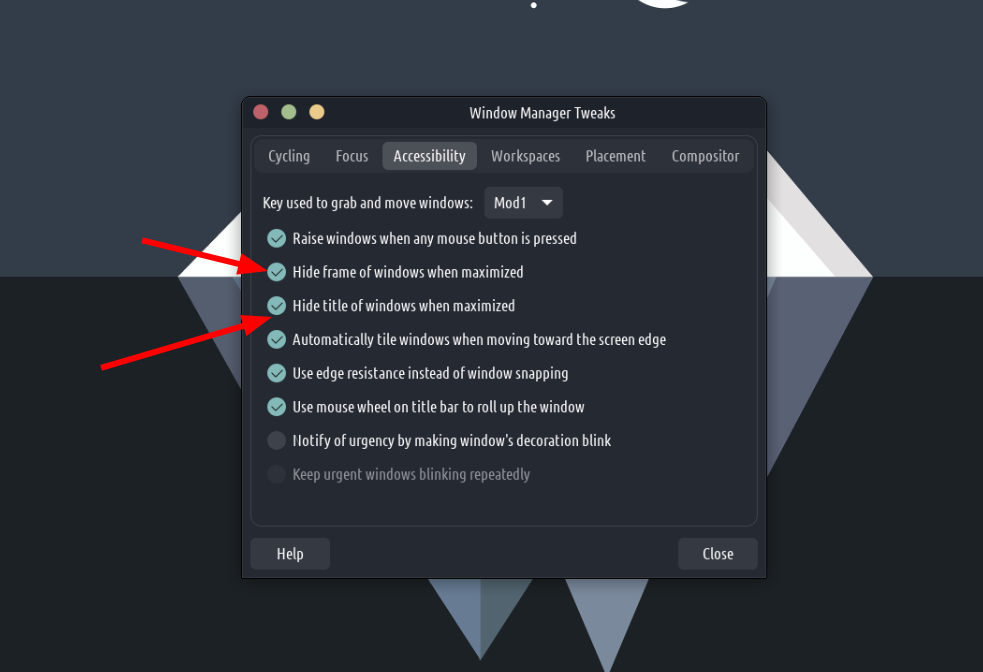
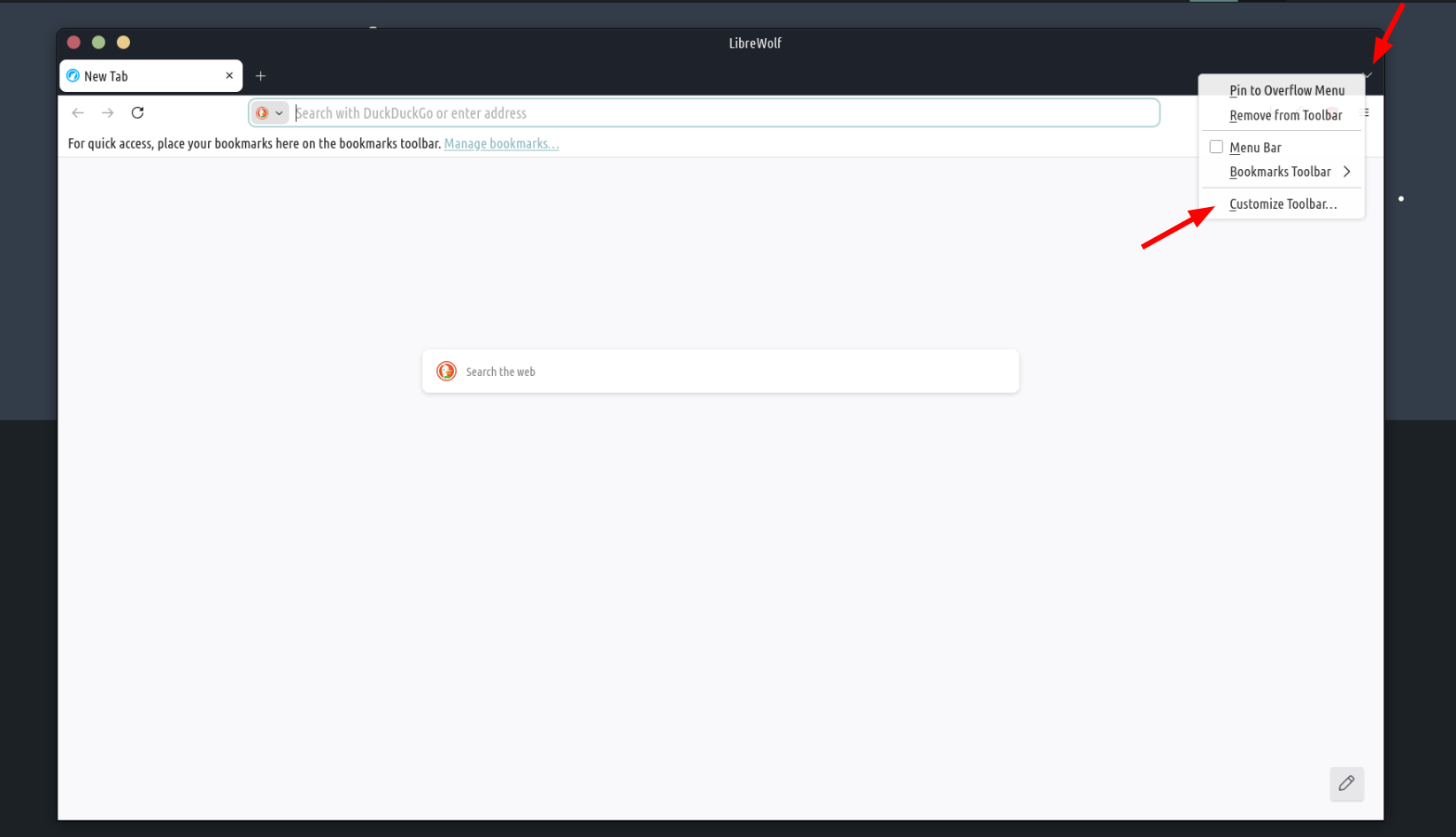
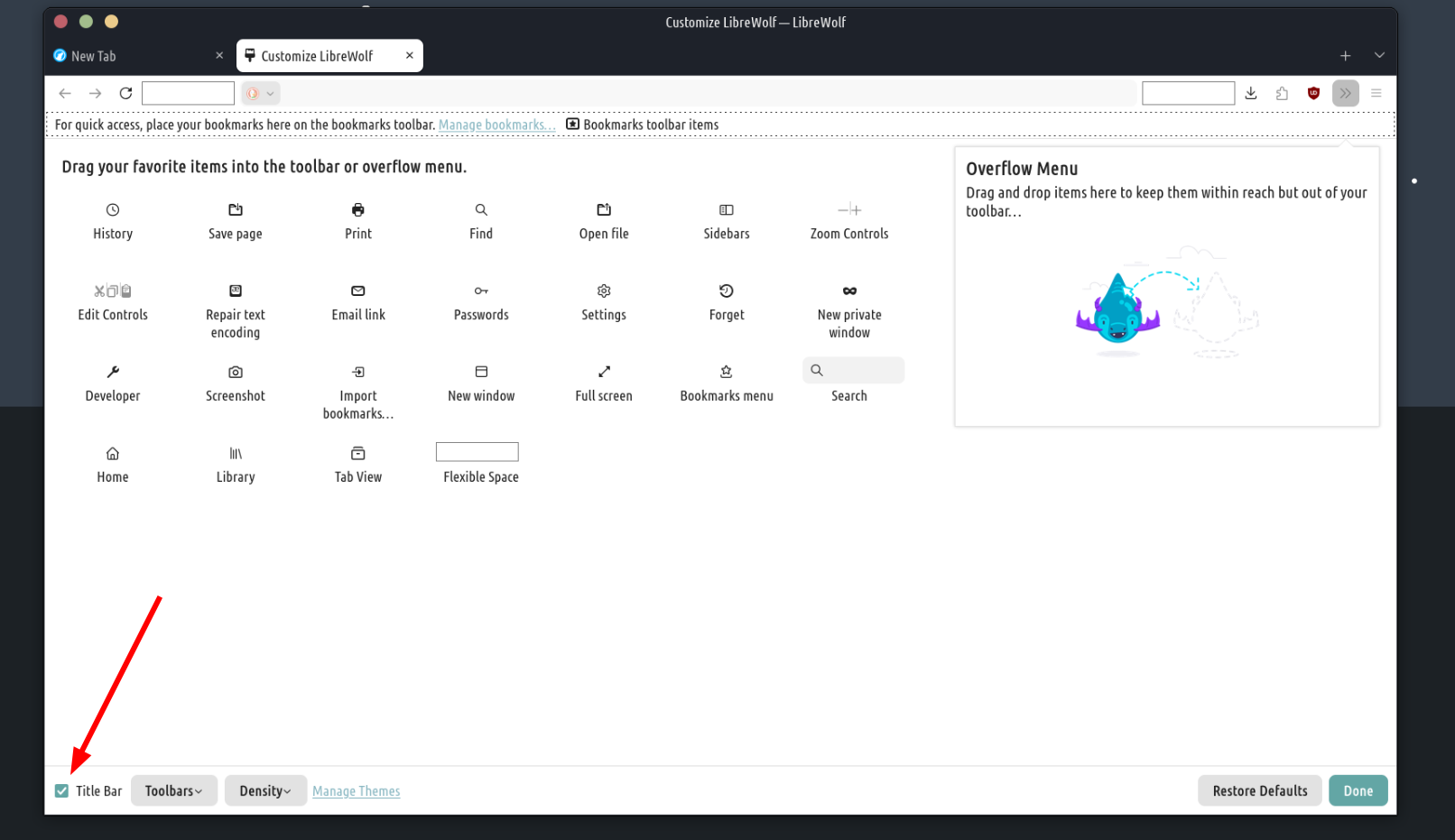
EDIT: Fix Chromium/Firefox based browsers that have no top bar or double window buttons